Beyond Claude Code and Codex: Choosing an Agent Workspace
You already use Claude Code or Codex. Now you have three tasks running, two branches to review, and a terminal somewhere waiting for permission. The next tool you need might be the one that makes those sessions manageable.
Herdr, Conductor, cmux, and ccmux approach that problem from different directions. They add an environment around agents you already use: persistent terminals, task workspaces, notifications, or a session picker.
This comparison covers their documented workflows as of November 5, 2026. It is a guide to choosing what to try, based on official documentation rather than hands-on performance testing.
Start with the interruption
Before installing anything, name the problem you want to remove.
| Your recurring problem | Candidate to investigate | What to test first |
|---|---|---|
| Agents need persistent terminals and a way to hand work to helpers | Herdr | Start a reviewer and collect its report |
| Independent tasks need separate branches and a review workflow | Conductor | Take one issue through workspace setup, tests, and a PR |
| You keep switching between terminals, notifications, and a browser | cmux | Verify one web change beside its agent terminal |
| Your tmux setup works, but finding the right session does not | ccmux | Find and answer an agent waiting for input |
These are starting points, not exclusive feature boundaries. Herdr and ccmux also have worktree workflows; cmux also exposes automation. The useful distinction is where each product puts the structure around your work.[1][2][3][4]
Herdr: a runtime you can build a workspace around
Herdr's current native app runs agents through herdr-core, a separate terminal server. Closing the app leaves those terminals running. Through the hc CLI, an agent can start helpers, send them messages, and receive reports. Remote machines reachable over SSH can join the same view.[5]
The app is unusually editable: its guide invites you to ask an agent to change layouts, add timers, or create an agent board. A first session starts with installing the app, launching your existing agent from the tab bar, and asking it to read ~/.config/herdr-app/AGENTS.md.[1]
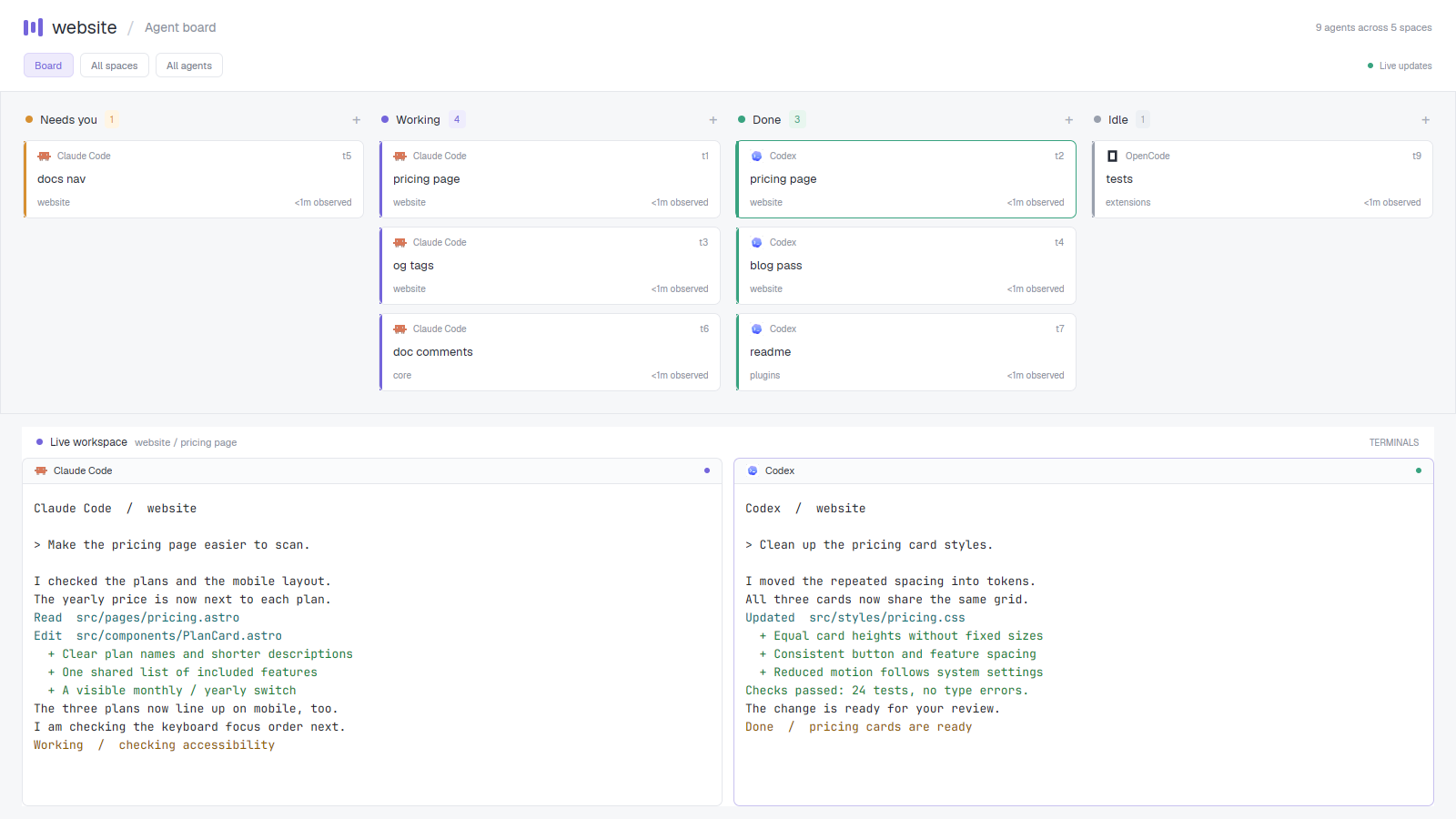
Herdr's customized Board example groups agent states above live terminals; project-provided preview, Apache-2.0, unchanged. Source · License

A useful first task would be an implementation agent with a separate reviewer. Give the reviewer a specific branch or diff and have it report findings back. That tests the handoff, rather than merely producing more terminal panes.
Where it fits: developers who want a programmable environment for several agents, including agents running on another machine.
The tradeoffs: customization creates configuration to maintain. Herdr also documents that mods are trusted code rather than sandboxed extensions; review a third-party mod before adding it.[16] In the native runtime, status depends on programs reporting through OSC 7501; running an arbitrary CLI does not guarantee rich status. Keeping a terminal alive after closing a window also requires its host to remain available. A sleeping laptop needs a different execution location.[5]
Watch the product names. Herdr TUI is a separate application with its own server; it does not share agents with the native app. Its documentation describes screen-based detection and integrations, which should not be mistaken for herdr-core's reporting model.[6][7]
Conductor: give each task a place to finish
Conductor organizes work around workspaces. Locally, a workspace uses a Git worktree: a separate checkout and branch with its own chats, commands, and review flow. Its first-workspace guide takes you from importing a repository through running an agent, checking the diff, testing, and opening a PR.[2][8]
Try it with two fixes that can ship independently. Give each a workspace and acceptance criteria. Review each result separately. If both agents need the same changing files, separate workspaces may just postpone the coordination problem until integration.
Where it fits: developers who can split work into independent issues and want the branch-to-review workflow in one application.
The tradeoffs: a fresh checkout is not automatically a runnable environment. Ignored configuration, dependencies, databases, and generated files need setup. Local worktrees separate files, but do not form a security boundary: commands still run with your user permissions.[2]
Conductor also offers Cloud workspaces, running in Linux sandboxes and shared with an organization. They can continue while your laptop is closed. That is a materially different choice from a local checkout, especially for environment compatibility and team access.[9]
Cloud currently requires an eligible paid plan, supports GitHub repositories, and stores cloud session inputs and outputs on Conductor's servers. Agent subscriptions or API keys remain part of the setup. Treat the application plan, model usage, and hosted execution as separate cost questions.[10]
cmux: put attention and verification beside the terminal
cmux is a native macOS terminal built with libghostty. Its workspace sidebar shows context such as branches and ports; notification rings identify panes needing attention. An embedded browser and a CLI/socket API let agents inspect web changes alongside their terminal work.[3]
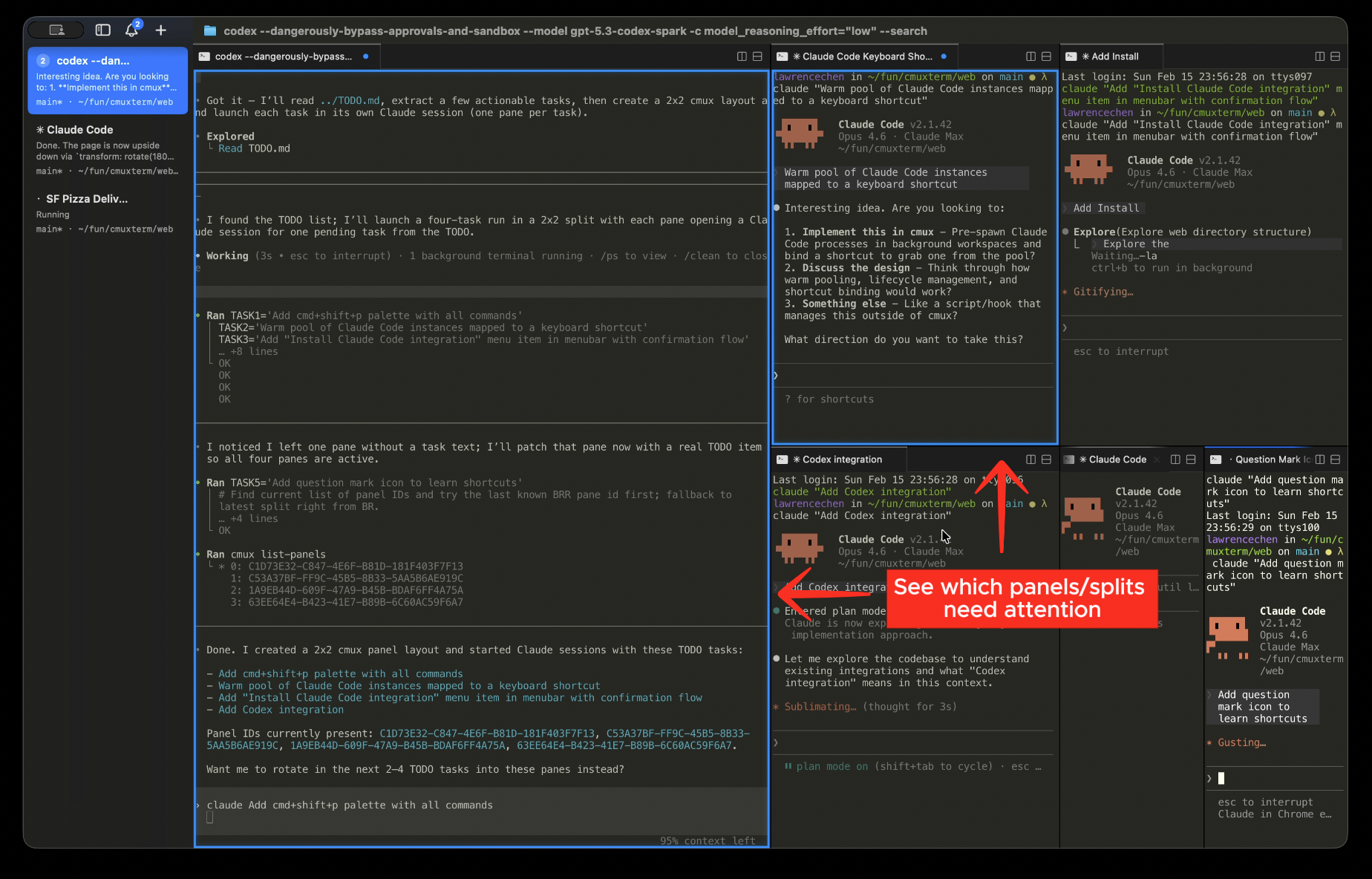
Notification rings identify panes needing attention; official cmux documentation, © Manaflow, Inc., GPL-3.0-or-later, unchanged. Source · License

Start by opening your existing agent in cmux and putting the web app it changes in a browser split. Use one small UI task to check whether the terminal, app, and notifications give you enough context to review the result.
Where it fits: Mac developers whose friction comes from switching views and missing requests for input.
The tradeoffs: the macOS getting-started guide requires macOS 14 or later. More importantly, restoring a workspace is different from preserving a running process. cmux restores layouts and context; supported agents can resume through their native session IDs when the appropriate integration captured them. It does not checkpoint arbitrary running processes.[11][12]
Choose it for the terminal and review environment. If uninterrupted remote execution is your requirement, evaluate where the processes will run as a separate decision.
ccmux: keep tmux, add a session map
ccmux runs around existing tmux sessions. Its picker identifies agents that are working, waiting, or finished, and lets you jump to their panes. The documented start is brew install ccmux, followed by ccmux setup, then running ccmux alongside agents launched as usual.[4][13]
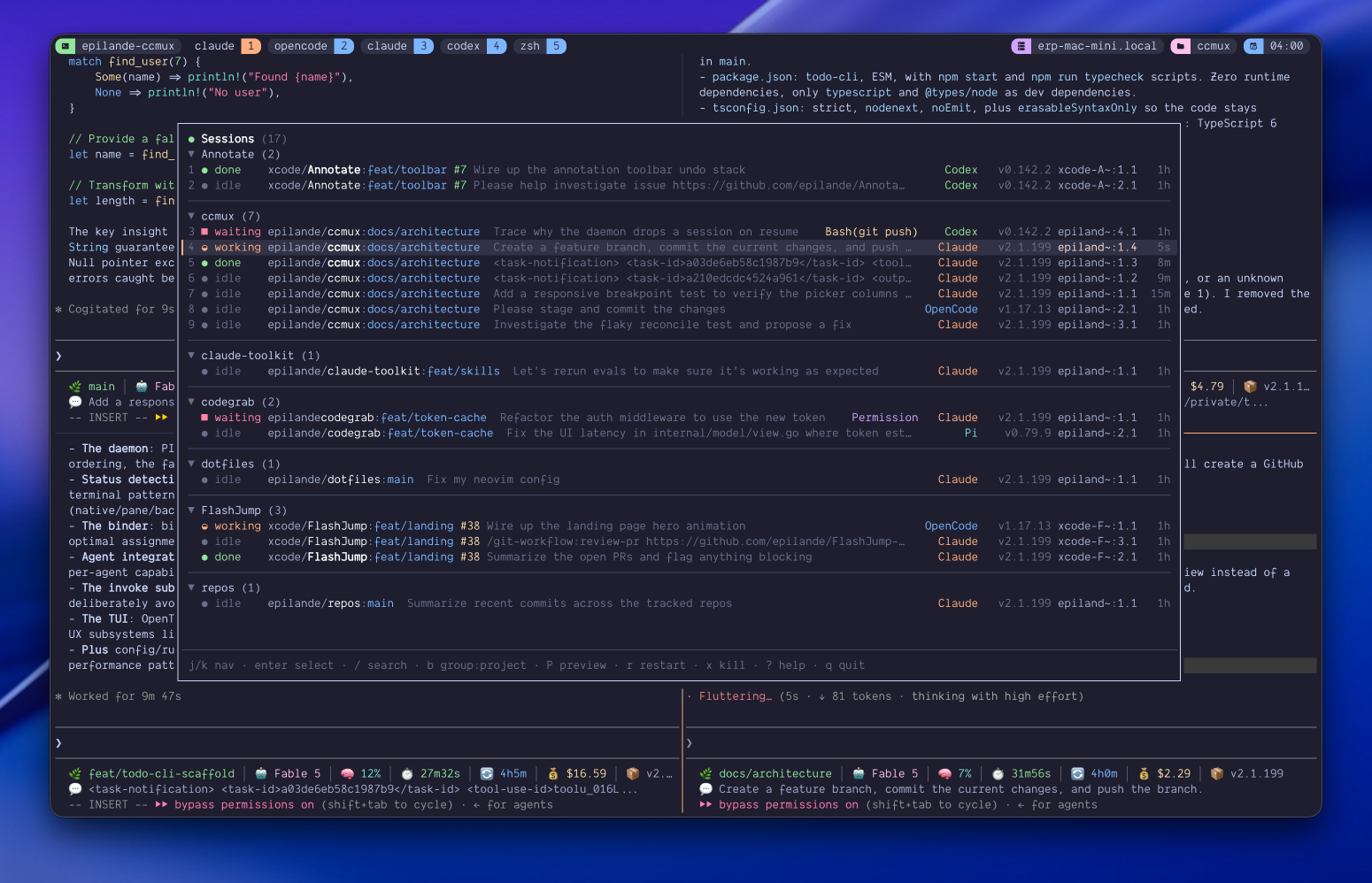
The picker groups agent states by project; official ccmux README, © 2026 epilande, MIT, unchanged. Source · License
That setup command has a real effect: it installs integrations for supported agents. Hooks improve session-to-pane matching, particularly when several instances use the same project. Basic detection also works without them.[14]
Where it fits: developers who already like tmux and want less session hunting without adopting another desktop workspace.
The tradeoffs: you retain the tmux workflow and its prerequisites. Popup use needs tmux 3.2 or newer; worktree features need Git 2.31 or newer. Some conveniences are agent-specific: the documented conversation-fork workflow currently ships a fork command only for Claude Code. Do not assume every supported agent gets identical features.[4][15]
What the extra layer cannot decide for you
My recommendation is to trial one tool against one recurring interruption. Use the same repository and a bounded task, then record:
- How long until the new workspace can run its tests?
- How often do you have to search for an agent waiting on you?
- Can you tell what changed and why before accepting it?
- What must be repaired or reconciled when two tasks finish?
- How much agent usage and review time did the completed work require?
Those are evaluation questions, not measured results from this comparison. A task that changes a shared interface may benefit more from sequencing and explicit contracts than from another concurrent agent. Separate checkouts prevent simultaneous edits to the same files; they do not establish that the combined behavior is correct.
If one agent and your current terminal already let you finish, test, and review comfortably, keep that baseline. Add a workspace tool when you can point to the interruption it removes.
References
- Herdr. Guide. Get going; reviewer; worktree; customization examples.
- Conductor. Git worktrees. Isolation, shared state, ignored files, setup scripts.
- cmux. Product overview. Features; browser; automation; free terminal and optional paid offerings.
- ccmux. Overview. Session picker, requirements, hooks.
- Herdr. herdr-core. Persistent terminals, helper lifecycle, SSH, OSC 7501.
- Herdr. Product FAQ. Native app versus Herdr TUI.
- Herdr TUI. Agents. Detection and integrations.
- Conductor. Your first workspace. Repository setup, agent work, review and merge.
- Conductor. What is Conductor Cloud?. Local/cloud comparison and organization sharing.
- Conductor. Cloud FAQ. Plans, credentials, repository support, session storage.
- cmux. Getting started. macOS requirements and installation.
- cmux. Session restore. Restored state, hooks, native session resume.
- ccmux. Getting started. Installation and picker workflow.
- ccmux. Session matching and hooks. Integration effects and fallback detection.
- ccmux. Worktrees. Fork prerequisites and current agent limitation.
- Herdr. App README. Updates and privacy; trusted mods.